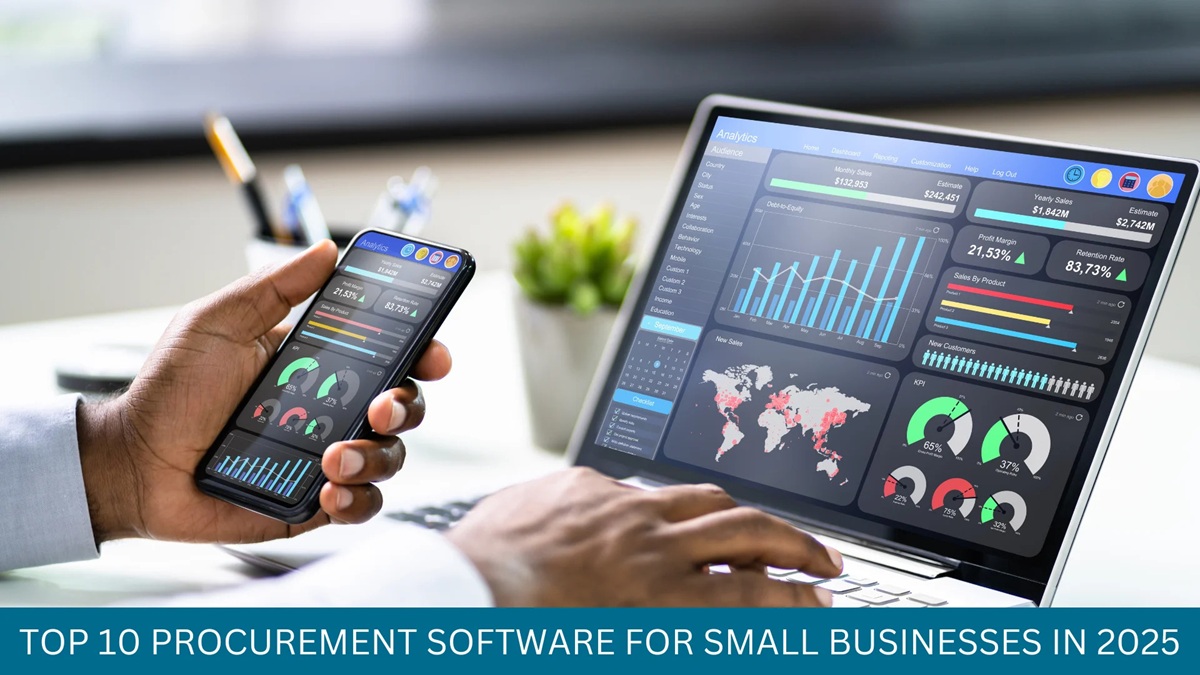

A lot of companies begin their procurement process utilizing Excel. It is quite convenient. Most of the employees already know how to use it. It’s also effective when there are only a few purchases made. However, the need for procurement changes as the company expands.
The number of employees who raise purchase requests also increases. As a result, more suppliers need to be contacted. Approval levels increase. The number of purchase orders increases as well. The finance department needs to have more control over invoices and budget spending.
At this stage, it becomes challenging to manage procurement using Excel. A team may be using multiple files for orders, requests, suppliers, and payments. Furthermore, manual updates can lead to mistakes. Approvals can be based on emails or phone calls. A team might also have a poor view of spending.
Procurement Management Software can help simplify this process.
It combines requests, approvals, suppliers, orders, and payments all in a single system. This simplifies the process of tracking purchases. So when is the right time for a company to switch from Excel to procurement software?
This article examines the differences between Excel and procurement management software and explains when companies should switch.
Why Does Excel-Based Procurement Become Difficult as a Business Grows?
Excel works well for basic purchase tracking. But it requires more effort as the purchase activity grows. A higher volume of purchase requests means a higher number of approvals. More suppliers, more records, more orders require regular purchase tracking.
Challenges that a team can face include:
- Excessive spreadsheets
- Manual data entry
- Slow approvals
- Missing purchase updates.
- Limited spend visibility.
- Difficult Supplier Tracking.
- Delayed report generation.
These challenges make the procurement process more complicated. In such situations, Procurement Management Software can be a good alternative.
Common Issues with Excel-Based Procurement
Excel is great for simple procurement, but as purchase activity increases it can become difficult to manage. The process is slow because of a higher volume of requests, suppliers and orders. Some of the typical challenges include:
Excessive Manual Data Entry
Different team members may enter the same purchase details in several documents. Also, the same data may be added once more in different sheets. This takes more time and may lead to a lot of errors.
Slow Purchase Approval
Requests can be communicated through emails and spreadsheets. Doing this can lead to slower approvals and the need for more follow-ups.
Multiple File Versions
Different teams may use different copies of the same file. This can lead to confusion regarding the latest data.
Limited Supplier Visibility
Information about suppliers may be found in different files or emails. Finding quotations or previous purchase records can take a long time.
Difficult Purchase Order Monitoring
Specific departments must sometimes track orders manually. Supervising approval, shipping, billing, and payments can be challenging.
Low Spend Visibility
Procurement data could be spread across different spreadsheets. This makes it challenging to track supplier spending, budget, and purchase amounts.
Difficult Audit Process
The information needed for approval might be found in emails and other documents. Tracking past purchase records takes extensive effort.
Slow Procurement Reporting
Teams may need to combine data from various files. The process of preparing procurement reports becomes slow and challenging.
Excel vs Procurement Management Software: Key Differences
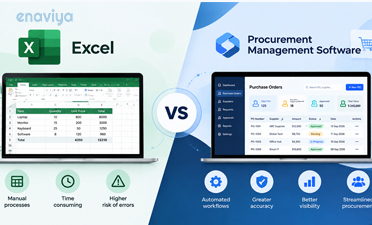
Excel and Procurement Management Software assist procurement in diverse ways. Excel is mainly used for entering and managing purchase data. It works effectively for basic tracking but requires more manual work as purchase activities increase.
Whereas Procurement Management System provides a better approach. It can manage requests, approvals, suppliers, orders, and spend data in one centralized location. This enables the team to have a clear insight into the different stages of the purchase.
Let us look at the key differences between Excel and Procurement Management Software.
|
Particulars |
Excel |
Procurement Management Software |
|
Purchase Requests |
Entries are done manually. |
Creation of requests is completed via software. |
|
Approvals |
Approval happens based on emails or calls. |
Approvals are established according to a certain flow. |
|
Supplier Data |
Supplier details are spread across various files. |
Supplier records are stored in one centralized location |
|
Purchase Orders |
There is a need to update orders manually. |
Orders can be created and tracked online. |
|
Budget Checks |
Budget checking is performed manually. |
Budget checking is included in the process. |
|
Spend Tracking |
Spend data many scattered across different files. |
Teams get a transparent view of spend data. |
|
Reports |
Preparation of reports is done manually. |
Reports can be generated from actual data. |
|
Audit Records |
Tracking is tough when it comes to previous actions. |
Actions taken can be registered within the software. |
|
Integration |
Manually transferring data |
The software can be easily integrated with ERP and other finance tools. |
|
Scalability |
It is difficult to keep up with an increasing number of purchases. |
The software has the capability to support more requests, users, and suppliers |
When Should Your Business Switch from Excel to Procurement Management Software?
There is no fixed time to determine when you should stop using Excel. The right time is dependent on your volume of purchases and your process requirements. If you find that Excel is demanding too much time from you, it may be time for a change.
Purchase Volume is Growing
The increased volume of purchases will mean more records, suppliers, and approvals to deal with. Managing it all in Excel may take longer. This can lead to:
- More manual work to process
- Updates that can be missed
- Slow tracking of orders
- Data errors
More Departments Become Involved
The purchasing processes differ between departments. This can make the process hard to control. This can lead to:
- Different purchasing formats
- It creates confusion when it comes to the processes
- Missing records
- Poor Coordination
Approval levels are increasing
Some purchases need more than one approval. The amount of approvals depends on the value of their purchase. Using a procurement approval workflow is very helpful in this case. If it’s not used, it may lead to:
- Approval delays.
- Wrong routing
- More and more follow-ups
- Slow decision-making
Better Spend Control is Needed
Managers might require a clear perspective on purchase costs. They might also insist on verifying expenses before confirmation. Poor procurement spend visibility may cause the following:
- Unplanned Spending.
- Budget Issues.
- Higher Costs.
- Weak Spend Control.
Your company has multiple locations
Dealing with purchases in multiple offices or branches using Excel can be quite tough. Data may be available in various files. This can cause the following problems:
- Scattered records
- Different procedures
- Delayed updates
- Limited Visibility
Integration is important
Procurement data may also be required in ERP, finance or inventory systems. Manual data transfer takes a lot of time. As a result:
- Repeated data entry
- Data errors
- Updates may be delayed
- Increased manual workload
Procurement Process Is Expanding
Excel may work for basic procurement operations. However, it becomes more challenging as the company expands. The use of Purchase Management Software will allow for a larger number of users, suppliers, requests, and orders. The system can also help reduce:
- Manual tracking process
- Process Delays
- Data gaps
- Purchase Errors
How to Move from Excel to Procurement Management Software?
Transitioning from Excel to Digital Procurement Software requires careful planning. A clear process can make the change easier for the whole team.
Review the Existing Procurement Process
First of all, observe how purchasing are managed. Identify the steps that are most time-consuming or require more manual work. This includes:
- Purchase requests
- Approval Steps
- Supplier records
- Purchase Orders
- Budget Checks
- Procurement Reports
Look at Existing Procurement Data
Old Excel files can contain duplicate or outdated data. Review the data before transferring it to the new system. The steps to be followed include:
- Supplier details
- Purchase records
- Order data
- Budget details
- Invoice records
- Old duplicate data
Set Clear Approval Rules
Determine who must approve which kind of purchase. The approval levels can vary according to the cost or department. This includes:
- Approval limits
- Department guidelines
- Manager approvals
- Expensive purchases
- Multi-level approvals
- Exception guidelines
Move important data first
Start with the data that is frequently utilized. It is not necessary to move all the older documents at once. Thus, the data to be moved should include:
- Active suppliers.
- Pending requests
- Current purchase orders
- Recent purchase records.
- Active budgets
- Approvals in waiting
Employees Training
The teams need to have knowledge of the new system. Along with that, the managers should have an understanding of the approval procedures. The training must cover:
- Creating the requests for purchases
- Tracking status of requests
- Reviewing the details related to purchases
- Approving requests
- Rejecting requests
- Checking history of the approvals.
Evaluate the New Process
Test the functionality of the system as soon as the team begins utilizing the system. Identify areas that require modifications or improvement. These include:
- Checking approval time
- Reviewing user feedback
- Identifying the process loopholes
- Verifying data accuracy
- Analyzing reports
- Updating workflows
Conclusion
Excel can easily handle simple procurement tasks. But as the business grows, they may encounter challenges in dealing with an increased number of requests, suppliers, approvals, and orders. Procurement management software simplifies such processes. It combines purchase data in one place. Thus, it allows for faster approval, supplier tracking, spend visibility, and order management. The right time to change depends on your business requirements. If Excel is creating delays, issues, or any additional work, the time may have come to implement a digital solution. A well-defined idea makes the transition easy.
FAQs
- What are the problems of using Excel for procurement purposes?
Excel requires frequent manual entries. It could create more versions of files, delay approvals, and not deliver updates on time. Spend tracking and reporting would be more time-consuming and complicated.
- What are the differences between Excel and Procurement Management Software?
Excel is used primarily for data recording and tracking. However, Procurement Management Software carries out the complete purchase process. The software automates the approval process and makes purchase monitoring more efficient.
- When is the right time to switch from Excel to procurement software?
Suppose purchase volume grows in a business, it should consider switching. In addition to that, companies with remarkably slow approval processes and excessive spreadsheets should also switch to procurement software. A lack of spending visibility can also be considered as another reason for switching.
- Is it possible to use procurement software for purchase approval automation?
Yes, Procurement software can help requests to reach the appropriate approver. The process of approval can be governed by a set of rules based on purchase value, type of department, or company policy.
- Is Procurement Management Software capable of tracking purchase orders?
Yes, with the help of Purchase Order Management Software, departments can create and track orders. Users will be able to track the current order status via one system.
- Does procurement software help with supplier management?
Yes, procurement software can store all the supplier records in one centralized location. Therefore, it makes it easier for teams to retrieve supplier data, quotations, purchase details, etc.
- Does procurement software provide better visibility of spending?
Yes, procurement gathers all purchases and spending records in one platform. Therefore, managers have increased visibility over their procurement spending. It can also assist with budget control.
- Can procurement management software integrate with the ERP systems?
Yes, most of the procurement management software allows the ERP integration. It can also be connected to the finance systems, accounting systems, and inventory system that can reduce the chance of repeating the data entry.
- Is procurement software suitable for small businesses?
Yes. Small businesses can utilize procurement software when they have more purchasing requirements. The use of this software can minimize the manual work required.
- Can Procurement Management Software reduce procurement costs?
Yes. It can enhance tracking of spending and reduce the manual work . In addition, it can also assist in avoiding duplicate purchases and unnecessary spending . Better purchase data leads to improved cost control.