
When it comes to business software, Microsoft SharePoint and NetSuite serve very different purposes, yet both are widely used in enterprise environments. SharePoint is primarily a document management and collaboration platform, while NetSuite is a cloud-based ERP (Enterprise Resource Planning) and business management suite.
This comparison explores their key features, strengths, weaknesses, pricing, and ideal use cases to help you determine which solution (or combination) best fits your business needs.
While SharePoint excels in collaboration and document management, NetSuite is the clear winner for end-to-end business process automation. Many enterprises use both systems in tandem, integrating SharePoint for internal workflows and NetSuite for financial and operational management.
1. Overview: SharePoint vs. NetSuite
Microsoft SharePoint
Type: Document Management & Collaboration Platform
Primary Use: File storage, team collaboration, intranet portals, workflow automation
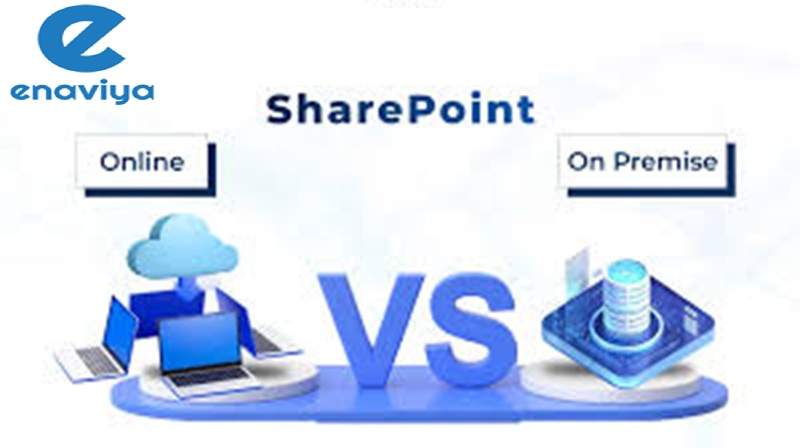
Deployment: Cloud (SharePoint Online) or On-Premises (SharePoint Server)
Best For: Enterprises needing secure document sharing, internal communication, and team collaboration
Oracle NetSuite
Type: Cloud ERP & Business Management Suite
Primary Use: Financial management, CRM, inventory, eCommerce, HR, and more
Deployment: Cloud-only (SaaS)
Best For: Mid-sized to large businesses needing an all-in-one ERP solution
2. Key Features Comparison
| Feature | Microsoft SharePoint | Oracle NetSuite |
| Core Functionality | Document management, intranet, team sites | ERP, CRM, accounting, inventory, eCommerce |
| Collaboration Tools | Yes (Teams integration, co-authoring) | Limited (focused on business ops) |
| Workflow Automation | Yes (Power Automate) | Yes (SuiteFlow) |
| Customization | Highly customizable (Power Platform) | Customizable with SuiteScript |
| Integration | Microsoft 365, Azure, Power BI | Native integrations with CRM, eCommerce, and third-party apps |
| Reporting & Analytics | Basic (Power BI integration available) | Advanced (built-in dashboards, financial reporting) |
| Deployment | On-premises or Microsoft 365 Cloud | Cloud-only (SaaS) |
| Mobile Access | Yes (mobile app) | Yes (native mobile app) |
| Security & Compliance | Enterprise-grade (Azure AD, encryption) | Role-based permissions, SOC 1 & 2 compliance |
| Ownership | Microsoft | Oracle |
| Scalability | Good for large enterprises | Highly scalable for growing businesses |
3. Strengths & Weaknesses
Microsoft SharePoint
Pros:
- Seamless integration with Microsoft 365 (Teams, Outlook, OneDrive)
- Excellent for document management & internal knowledge sharing
- Strong security & compliance features
- Highly customizable intranet & workflows
Cons:
- Not designed for ERP or financial management
- Requires additional tools (like Dynamics 365) for full business automation
- Can be complex to set up for non-technical users
Oracle NetSuite
Pros:
- All-in-one ERP (finance, CRM, inventory, HR, eCommerce)
- Real-time business analytics & reporting
- Highly scalable for growing businesses
- Automated workflows for finance and operations
Cons:
- Expensive for small businesses
- Steeper learning curve compared to simpler tools
- Limited collaboration features (not a replacement for SharePoint)
4. Pricing Comparison
| Extra modules, user licenses, and implementation fees | Microsoft SharePoint | Oracle NetSuite |
| Pricing Model | Subscription (included in M365 plans) | Subscription-based (custom quotes) |
| Starting Cost | ~$5/user/month (as part of M365) | ~$999/month (base license) + additional modules |
| Free Trial | Yes (via Microsoft 365 trial) | Yes (demo available) |
| Additional Costs | Storage upgrades, custom development | Extra modules, user licenses, implementation fees |
Note: Note: NetSuite pricing is custom-quoted, while SharePoint is often bundled with Microsoft 365.
5. Which One Should You Choose?
Choose SharePoint if you need:
✔ A document management & collaboration platform
✔ Deep integration with Microsoft 365 (Teams, Outlook, Excel)
✔ An intranet or knowledge-sharing hub for employees
Choose NetSuite if you need:
✔ A full ERP system (finance, inventory, CRM, HR)
✔ Real-time business analytics & reporting
✔ A scalable cloud solution for growing enterprises