
Microsoft Dynamics 365 CRM Migration and Redevelopment to SharePoint Online - Case Study
Client Overview
Our client is a multinational company specializing in electrical engineering services and solutions. It provides engineering products and solutions for different sectors. The company focuses on safe, dependable, and efficient solutions. It also collaborates with customers belonging to diverse markets and domains.
The company was utilizing a CRM (customer relationship management) system on Microsoft Dynamics 365 to monitor customers and sales operations. The CRM supported important business procedures as well as customer information management. The client requested to migrate the key functions of the CRM software to SharePoint Online. Additionally, the new solution needed to support the existing workflows, data, and user needs.
Client Requirements
The aim of our client was to migrate its current CRM functionality from Dynamics 365 to SharePoint Online. The company wanted to retain the main features of its CRM in the new platform. The solution also needed to support the existing business processes and user access. It also needed to have a proper way of managing customer data, leads, and information on sales opportunities.
- Review the existing Dynamics 365 CRM functions and business processes.
- Identify the necessary CRM data and business information.
- Identify the key functions that need to be retained.
- Map existing CRM functionality to SharePoint
- Define required SharePoint lists and data structure.
- Redevelop the necessary CRM functions on SharePoint Online.
- Develop the needed forms to perform CRM activities.
- Support the needed lead and opportunity process.
- Configure user roles and permissions as needed.
- Migrate relevant CRM data to SharePoint Online.
- Validate successful data migration and application functionality.
- Conduct testing for the new CRM solution among the users.
- Verify whether the necessary business processes work properly.
Project Summary
The client required an upgraded method to handle customer and sales operations. The previous CRM solution was based on Microsoft Dynamics 365. The client needed to migrate the CRM features to SharePoint Online. Also, the new solution needed to support the existing business processes. It should facilitate convenient access to the CRM data as well.
To meet the client's requirements, we first analyzed the existing CRM system. Then, we reviewed how the system worked, how it managed data, and how users accessed it. We also studied the existing business processes and user needs. Based on this information, we developed a suitable strategy to migrate the necessary CRM functions to SharePoint Online.
The required CRM solution was redeveloped on SharePoint Online. The required business data was also migrated to the new SharePoint Structure. User access controls were configured as per business requirements. The re-built solution was subsequently reviewed and tested with end users before production rollout.
Planning a Microsoft Dynamics 365 CRM Migration?
Move, modernize, and redevelop your CRM with a secure and streamlined migration approach from Enaviya Information Technologies.
Our Global Offices
India
#563-564 Niran Arcade, 3rd Floor, New BEL Road, Bengaluru, Karnataka 560094
+91-98452 05968 info@enaviya.comUSA
8682 SPRING GARDEN DR,
# 8205 KELLER,
TX 76244
South Africa
Suite J, 4th Floor,
165 West street, Sandton,
Johannesburg,
South Africa - 2031
Follow Our Social network
Challenges
Prior to migration and redevelopment, the client was using CRM solution on Microsoft Dynamics 365. The existing CRM solution was independent of this ecosystem. This made it difficult for the organization to keep CRM aligned with its platform. Another challenge for the client was that the existing CRM was expensive. Therefore, the client required a more suitable platform for its needs.
Higher Subscription Cost
The existing Dynamics 365 CRM system has a significantly higher cost of subscription. This increased the cost of maintaining the CRM system. The client wanted to lower this cost.Separate CRM environment
The CRM was running independently outside the organization’s Microsoft 365 environment. As a result, this created a separate platform for managing CRM activities. The client wanted a CRM solution that fit better with its current setup.Reliance on Dynamics 365
The organization relied on Dynamics 365 for CRM activities. This meant that the CRM remained dependent on a different service and subscription.Existing Business Process Reliance
The organization utilized its current CRM systems in regular business operations. Changing the CRM system without disrupting processes was a primary challenge.Solution Implemented
To address these problems, Enaviya migrated and redeveloped the appropriate CRM solution using SharePoint Online. This solution brings together the necessary CRM functions, important business data, procedures, and user accessibility on a single platform. The solution also supports the key CRM operations required by the organization. Overall, the solution offers a new SharePoint Online Platform for monitoring the required CRM functions and business processes.
CRM Functionality
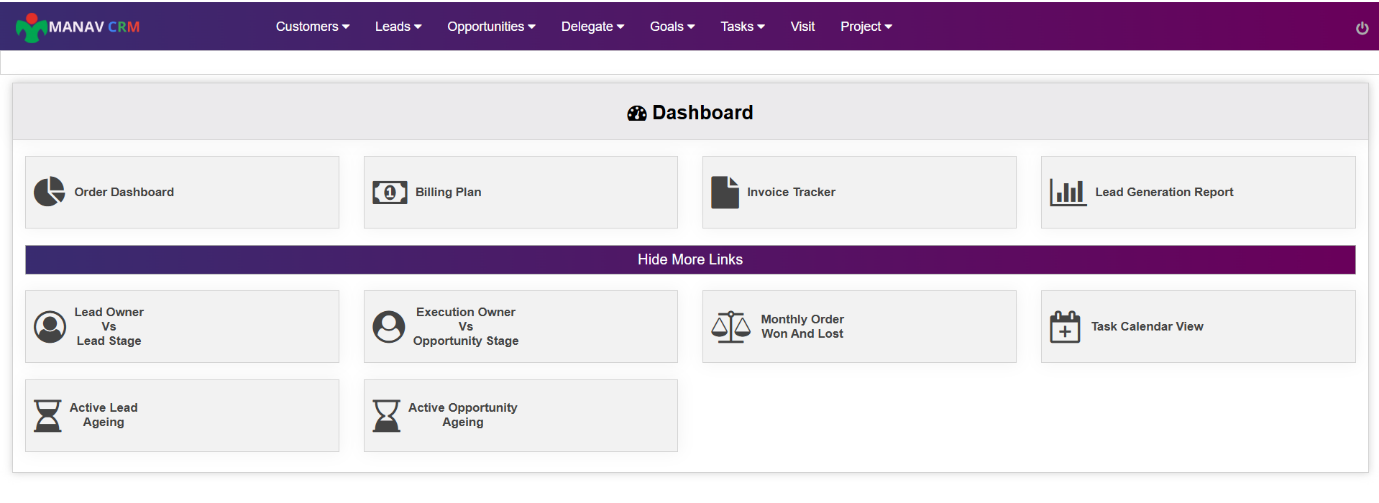
The key functions of CRM were rebuilt on SharePoint Online. The newly created system provides support for the important functions and business processes that were being utilized in the previous CRM.
Data Migration
The required data of CRM was migrated from the existing Dynamics 365 environment to SharePoint Online. The process of mapping the data was done to ensure that necessary business data remains available.
CRM Process Flow
The existing CRM workflow was reviewed and rebuilt on SharePoint Online. This assisted in maintaining the necessary process flow and supporting the organization’s day-to-day activities.
Users’ Access
User role and access management was performed according to the business requirements. Now users are able to utilize CRM functions, and the data associated with it according to their role and permission.
Testing & Validation
The rebuilt CRM application went through testing prior to being put into production use. Furthermore, business users also reviewed and validated the application to see if it performed the required functions as expected
Production Release
After testing and validation by users, the CRM application was made ready for production use. This allowed the organization to start using the new CRM application in SharePoint Online.
How the Solution Works
The CRM System is made available via SharePoint Online. Users can access the necessary functions of the CRM depending on their roles.
Accessing the CRM
Users access the CRM application through SharePoint Online. The CRM system will grant access according to a user’s role and permissions.
Manage CRM Data
Users manage the CRM data according to their access permissions. They can view and manage the data which are relevant to their task.
Perform CRM Activities
Users can carry out the various CRM activities using the system. The system runs according to the predefined business processes for each activity.
Receive Notifications
The system sends custom emails and notifications on all the CRM activities relevant for this purpose. In this way, users stay informed about the required actions to be taken.
Access Control
The system checks the role and credential of each user before giving any access. Each user has access only to the CRM features and information which are permitted to use according to their role.
Core Modules Implemented
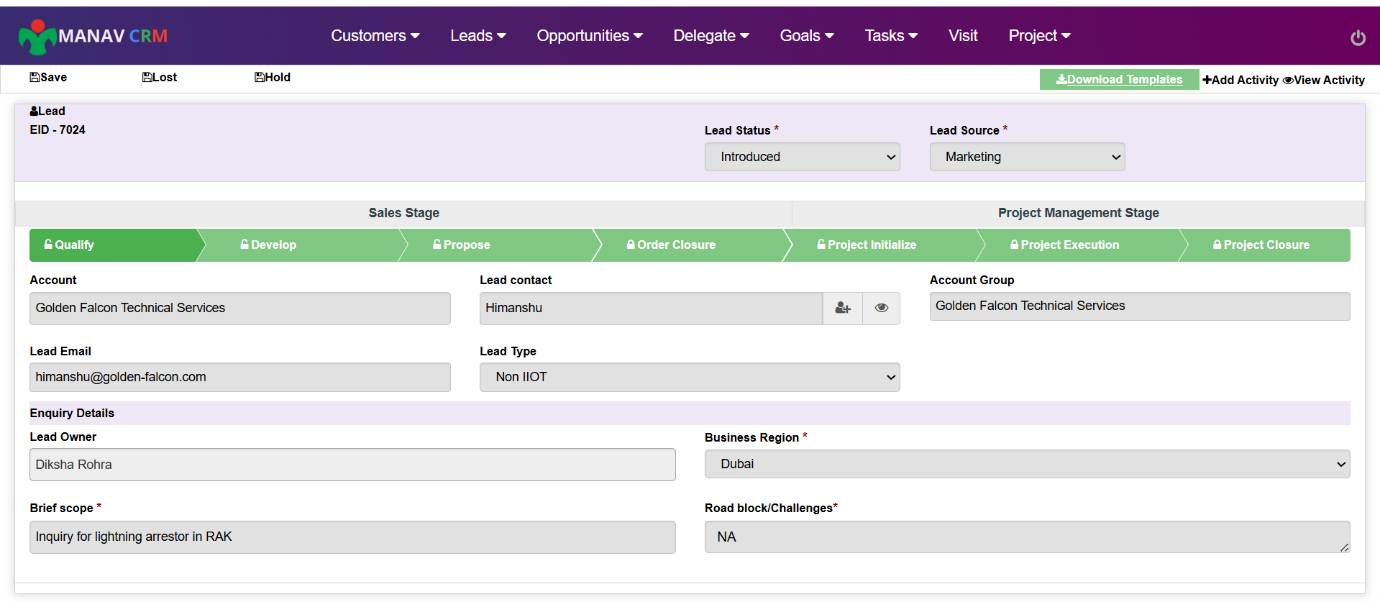
As a solution, the CRM System was redeveloped with different modules to support the necessary business needs of an organization. Each component handles a specific CRM function and contributes to its overall operation in its specific way. The solution handles various activities, including information about clients, leads, business opportunities, forms, and workflows. It provides a necessary structure for processing CRM data and operations.
Customer Management
The customer management feature was implemented, which serves to store all necessary data on customers. In this way, it also provides the possibility of managing customer records.
Lead Management
Lead management is used for storing and handling lead information. It is aimed at capturing key details about the leads. In addition, it also supports necessary lead processes.
CRM Forms
Necessary CRM documents were developed. The documents assist various activities of the CRM procedures. This feature allowed users to enter and update the required information in the form.
Business process
The necessary CRM workflow is set up through SharePoint Online. It supports the predefined business process. It ensures the proper flow of CRM operations.
Custom Emails and Alerts
Customized emails and alerts have been added to facilitate the CRM process. They are helpful for users to get information about the key actions and updates.
Final Result
Through both the migration and redevelopment process, the organization now has a better solution to CRM related needs. The new implementation has also improved the overall management of CRM functions. Moreover, it helped the organization to move away from the higher cost platform. Some of the main advantages are lower expenses, better alignment of the platform, continuity of CRM functions, and greater flexibility.
Successful CRM Transition
Organization successfully transferred its essential CRM functions from Dynamics 365 to SharePoint Online. This provided a new platform for executing its CRM functions.
Lower CRM Expenses
Switching from a high-cost platform automatically reduce the expenses associated with maintaining the CRM. As a result, it provided a cost-effective option for fulfilling CRM needs. It also reduced the need for continuing high-cost subscriptions.
Better Microsoft 365 Alignment
CRM is now available within the Microsoft 365 ecosystem of the organization. As a result, it offers a more aligned technology setup. The organization can operate its CRM through the Microsoft 365 environment.
Improved CRM Accessibility
Users are able to access the CRM system via the organization’s SharePoint Online. This offers easier access to CRM data and daily operations. It also provides users with a more familiar platform for their day-to-day activities.
Future Growth Potential
The new CRM configuration ensures flexibility for any future changes. The organization may keep improving the tool as requirements grow. This provides a strong base for future CRM advancements within Microsoft 365 environment.
More scope for Automation and Reporting
With new platform more opportunities for workflow automation and reporting will be available. The company can make use of these features to enhance their CRM processes. Additionally, the CRM can be integrated with other Microsoft 365 capabilities.
Tools & Technologies Used

Microsoft Dynamics 365

SharePoint Online
Industry
- Engineering Services
Copyright © 2026 Enaviya Information Technologies Pvt. Ltd. All rights reserved
