
Organizations today are under constant pressure to deliver digital solutions faster than ever before. Traditional software development often requires significant investments in skilled developers, infrastructure, and long development cycles. As a result, low-code and no-code platforms have become increasingly popular among businesses seeking to accelerate application development while reducing costs.
Among the most recognized platforms in this space are Microsoft Power Apps, Google App Maker, and Salesforce App Cloud. These platforms were designed to simplify application development, allowing organizations to create business applications with minimal coding expertise. While Google App Maker has been discontinued, it remains an important part of the low-code platform conversation because many organizations previously relied on it and are now exploring alternatives.
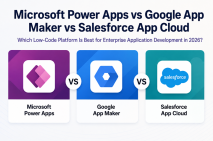
This article compares Microsoft Power Apps, Google App Maker, and Salesforce App Cloud across various factors, including features, integrations, scalability, security, pricing, and enterprise suitability.
Understanding Low-Code Development Platforms
Low-code development platforms provide visual interfaces, drag-and-drop tools, and pre-built components that enable users to build applications quickly. These platforms reduce the amount of manual coding required while still allowing customization when needed.
Benefits of low-code platforms include:
- Faster application development
- Reduced IT dependency
- Lower development costs
- Improved business agility
- Enhanced collaboration between business users and developers
- Easier integration with existing systems
Businesses use low-code platforms to create workflow applications, customer portals, inventory management systems, approval processes, mobile apps, and more.
Overview of Microsoft Power Apps
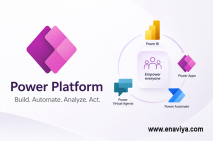
Microsoft Power Apps is part of the Microsoft Power Platform ecosystem, which also includes Power Automate, Power BI, and Power Virtual Agents. It enables businesses to build custom applications using a visual development environment while integrating seamlessly with Microsoft products.
Power Apps supports both canvas apps and model-driven apps. Canvas apps provide complete design flexibility, while model-driven apps are built around data models and business processes.
Key Features of Microsoft Power Apps
- Drag-and-drop application builder
- AI-powered development assistance
- Integration with Microsoft 365
- Built-in automation through Power Automate
- Access to hundreds of data connectors
- Responsive mobile and web applications
- Advanced security and governance controls
- Integration with Microsoft Dataverse
Power Apps is particularly attractive for organizations already invested in the Microsoft ecosystem.
Overview of Google App Maker
Google App Maker was Google's low-code application development platform designed for Google Workspace users. It enabled organizations to create internal business applications using a visual development interface and JavaScript customization.
The platform integrated closely with Google services such as Gmail, Google Sheets, Google Drive, and Google Calendar.
Key Features of Google App Maker
- Visual application builder
- Integration with Google Workspace
- Cloud-based deployment
- Custom scripting support
- Rapid prototyping capabilities
- Built-in database functionality
Despite its promising capabilities, Google officially discontinued App Maker in January 2021. Existing users had to migrate their applications to alternative platforms.
Although App Maker is no longer available, it remains useful to compare its capabilities with current market leaders.
Overview of Salesforce App Cloud
Salesforce App Cloud is a low-code application development platform built on the Salesforce ecosystem. It allows businesses to create customer-facing and internal applications while leveraging Salesforce CRM data.
App Cloud combines visual development tools, workflow automation, artificial intelligence, and enterprise-grade scalability.
Key Features of Salesforce App Cloud
- Lightning App Builder
- Salesforce CRM integration
- Workflow automation
- AI capabilities through Salesforce Einstein
- Mobile-ready applications
- Custom object creation
- Extensive API support
- Enterprise-grade security
Organizations already using Salesforce often choose App Cloud because of its seamless access to customer and sales data.
Feature Comparison
User Interface and Ease of Use
Microsoft Power Apps offers one of the most intuitive low-code experiences available today. The drag-and-drop interface allows business users to create applications quickly without extensive technical expertise.
Google App Maker was relatively easy to use but required more technical knowledge for advanced customization. Developers often relied on JavaScript for complex functionality.
Salesforce App Cloud provides powerful visual tools but may involve a steeper learning curve due to the complexity of Salesforce's ecosystem.
Integration Capabilities
Integration is a critical factor when choosing a low-code platform.
Microsoft Power Apps
Power Apps provides access to hundreds of connectors, including:
- Microsoft 365
- SharePoint
- SQL Server
- SAP
- Oracle
- Dynamics 365
- Azure services
- Third-party applications
Google App Maker
App Maker integrated primarily with Google Workspace products:
- Gmail
- Google Sheets
- Google Drive
- Google Calendar
- Google Cloud Platform
Salesforce App Cloud
Salesforce App Cloud excels in CRM-related integrations:
- Salesforce CRM
- Marketing Cloud
- Service Cloud
- MuleSoft
- External APIs
- ERP systems
Customization and Development Flexibility
Modern enterprises require applications that can support unique workflows and business requirements.
Microsoft Power Apps
Power Apps uses Power Fx, a low-code formula language inspired by Excel. Developers can also extend applications using Azure services and custom APIs.
Google App Maker
App Maker supported JavaScript, offering considerable flexibility for customization.
Salesforce App Cloud
Salesforce provides Apex programming language and Lightning Components for advanced application development.
Data Management
Microsoft Power Apps
Microsoft Dataverse provides centralized data storage, security, and governance.
Google App Maker
App Maker relied on Cloud SQL and Google's cloud infrastructure for data management.
Salesforce App Cloud
Salesforce provides robust customer data management capabilities and extensive analytics features.
Automation and Workflow Management
Automation is essential for improving operational efficiency.
Microsoft Power Apps
Power Automate enables users to automate repetitive business processes across multiple applications and services.
Google App Maker
App Maker included workflow capabilities but lacked the extensive automation ecosystem available in competing platforms.
Salesforce App Cloud
Salesforce Flow provides advanced workflow automation and process orchestration.
Artificial Intelligence Capabilities
AI has become a major differentiator among low-code platforms.
Microsoft Power Apps
Microsoft integrates AI Builder, Copilot, Azure AI services, and machine learning capabilities directly into Power Platform.
Google App Maker
App Maker offered limited native AI functionality during its lifecycle.
Salesforce App Cloud
Salesforce Einstein provides predictive analytics, intelligent recommendations, and AI-driven automation.
Security and Compliance
Enterprise organizations require robust security frameworks.
Microsoft Power Apps
Features include:
- Azure Active Directory integration
- Role-based access controls
- Data loss prevention policies
- Compliance certifications
- Multi-factor authentication
Google App Maker
Security was managed through Google Cloud security controls and Google Workspace permissions.
Salesforce App Cloud
Salesforce provides:
- Advanced encryption
- Identity management
- Compliance certifications
- Role-based access controls
- Audit logging
Scalability
As organizations grow, application platforms must support increasing workloads.
Microsoft Power Apps
Built on Microsoft Azure, Power Apps offers excellent scalability for enterprise workloads.
Google App Maker
Scalability was tied to Google Cloud infrastructure but is no longer relevant due to discontinuation.
Salesforce App Cloud
Salesforce supports global-scale deployments and large enterprise implementations.
Pricing Considerations
Pricing varies depending on usage, licensing models, and organizational requirements.
Microsoft Power Apps
Power Apps offers flexible licensing options suitable for small businesses and enterprises alike.
Salesforce App Cloud
Salesforce licensing can become expensive, particularly for organizations requiring multiple cloud services and advanced features.
Google App Maker
App Maker was included with specific Google Workspace plans before its discontinuation.
Ideal Use Cases
Choose Microsoft Power Apps If:
- Your organization uses Microsoft 365.
- You need rapid application development.
- You want strong AI capabilities.
- You require extensive third-party integrations.
- You need cost-effective scalability.
Choose Salesforce App Cloud If:
- Salesforce CRM is central to your operations.
- Customer relationship management is a primary focus.
- You require highly customized enterprise applications.
- You need advanced customer analytics.
About Google App Maker
Organizations still maintaining legacy App Maker applications should prioritize migration strategies. Modern alternatives such as Power Apps and Salesforce App Cloud offer significantly broader capabilities and long-term support.
Final Verdict
When comparing Microsoft Power Apps, Google App Maker, and Salesforce App Cloud in 2026, Microsoft Power Apps emerges as the strongest overall solution for most organizations. It combines ease of use, extensive integrations, AI-driven development, enterprise security, workflow automation, and cost-effective pricing within a comprehensive low-code ecosystem.
Salesforce App Cloud remains an excellent choice for organizations deeply invested in Salesforce CRM and customer-centric business processes. Its customization capabilities and customer data management features make it a powerful enterprise platform.