Data is integral to today’s digital age. Every sale, customer interaction, website visit, and marketing campaign generates data. For a small business, this data can be extremely valuable. However, many organizations struggle to understand their data to make informed decisions based on it. Microsoft Power BI has become an ideal solution to help organizations utilize their data.
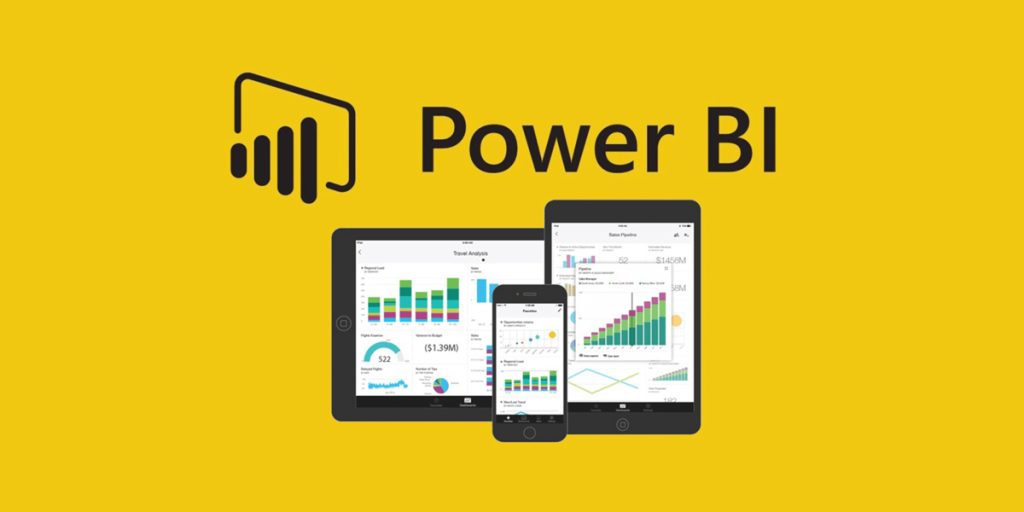
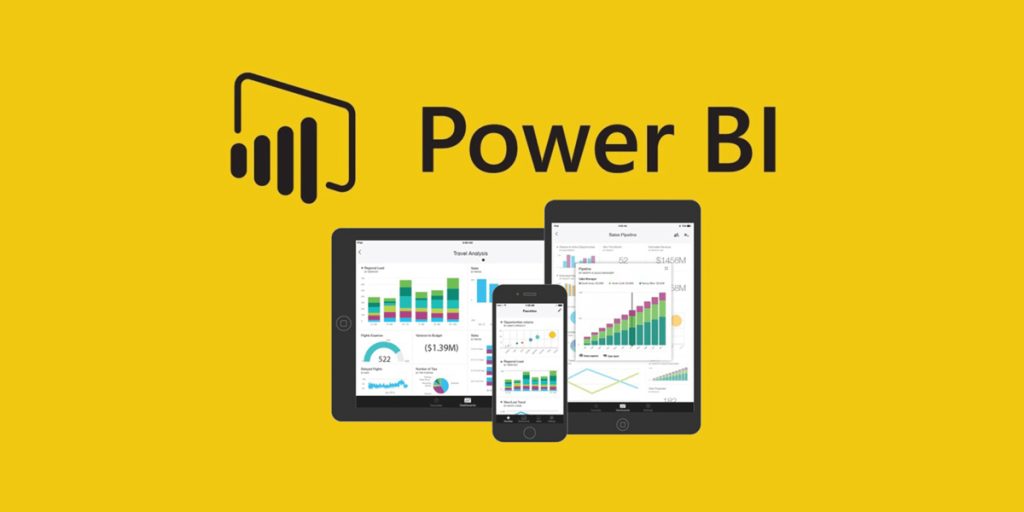
Microsoft developed Power BI is a comprehensive and powerful business intelligence tool. It allows organization to retrieve, process, and analyze their data using simple, easy-to-use software. Instead of looking at spreadsheets filled with confusing numbers, business owners can use Power BI to visualize their data through concise charts, graphs, and dashboards.
For the small-business realm, Power BI is not just a reporting tool. Instead, it is a smart solution that takes raw data and turns it into actionable insights to enable more effective growth.
In this blog, we will explain how Power BI allows small businesses to have a better understanding of their data, gain insight into their decisions, and produce better results.
What is Power BI:
Power BI (Business Intelligence) is a reporting and analytics platform to help businesses analyze their raw data and turn it into meaningful information.
Power BI allows you to connect to multiple types of data sources, including:
- Microsoft Excel
- Databases
- Cloud-based services
- CRM systems
- Accounting software
- Marketing software
Once your data is imported into Power BI, you can then analyze, drill down, and visualize it all on one dashboard.
This way, instead of looking at a long list of numbers, you can see how your company is doing based on charts, tables, and graphs. For example, one will be able to compare sales from last month and how they have changed compared to sales this month.
When analyzing data in this perspective, it is much easier for a small business owner to analyze the results of their business without requiring advanced programming skills.
Why Data is important for Small Businesses
Generally, when making decisions, many small businesses tend to rely mostly on experience or guesswork rather than hard data. While experience is beneficial, decisions based just on assumptions can lead to poor outcomes. Data provides real insight into what is actually taking place in a business.
A few examples include the following:
- The top-selling products in inventory
- What marketing initiatives are successful
- What products customers want
- Where the company is losing money
As a result, When organizations utilize data effectively, they have the potential to make more intelligent and accurate decisions.
The primary issue that small businesses face in utilizing their data is that while many collect data, they do not know how to analyze it properly. The success of Power BI is due to its ability to turn raw data into meaningful visualizations that can be easily understood by everyone.
Challenges Small Businesses Face with Data
To see how Power BI can assist smaller companies, you should first look at common difficulties in managing data that are usually faced by all small businesses.
1. Massive Amounts of Data to Handle
Businesses utilize many different software programs and various types of systems for collecting massive amounts of data (Example: sales tools, marketing management applications, various types of accounting programs) therefore, they need to manage that data.
2. Data Stored in Multiple Locations
Data stored in multiple locations, such as CRM systems, spreadsheets or cloud applications, creates problems for obtaining a comprehensive view of the business.
3. Difficulty in Analyzing Data
When data is large, it becomes difficult to analyze manually in traditional spreadsheets. Thus, it takes considerable time to analyze thousands of rows of data.
4. No Technical Data Analysts
Typically, smaller businesses do not have data analysts and find it difficult to generate comprehensive reports.
5. Slower Decision-Making Processes
Without access to actionable insight into the behaviours of others in your industry, businesses take longer to reach decisions regarding policy or strategic direction.
Power BI addresses all of these issues by providing an integrated, user-friendly analytics solution in the form of a centralized platform.
How Power BI Helps Small Businesses Turn Data into Insights
Let’s look at the main ways in which Power BI helps small businesses utilize their data better.
- Easy Data Visualization.
The visual dashboards are one of the best things about Power BI. Using visuals such as:
- Bar charts
- Pie charts
- Line graphs
- Heat maps
- Interactive dashboards
Users can visually review the success of their business more easily, rather than by reading a complicated report.
For example, a business owner can easily see within seconds how:
- Sales were doing well each month.
- The number of customers added has changed over time
- What were the top-selling products
- Connect Data from Multiple Sources.
Small businesses use multiple systems to run their day-to-day operations. Some of those systems may be:
- Accounting Software.
- CRM System.
- Marketing System.
- Inventory System.
Power BI enables companies to connect data from each of these systems into one centralized place a dashboard). As a result, decision-makers can view the company’s overall performance via the dashboard
- Real-Time Business Insights
Power BI offers real-time data updates. As a result, business owners can access their performance immediately.
For instance:
- Daily tracking of sales numbers
- Fluctuations in web traffic
- Tracking results of marketing campaigns
- Measure inventory levels
With real-time information, companies can quickly adjust to any changes in their market. When sales drop suddenly, businesses can identify the cause and take appropriate action quickly.
4. Improved Decision Making
Making good decisions means knowing which data to use and how to interpret it. Power BI gives business learners the ability to make decisions based on realistic evidence rather than guesswork.
For instance:
- A company analyzing its sales could find that an item sells significantly better in specific time periods. Therefore, organization can structure their inventories and their marketing plans accordingly.
- Using data to make decisions helps in reducing the chance of negative impact and improves the performance of the business.
- Sales Data Analysis Improvement
The sales data of your company is one of its biggest assets. Power BI helps companies to analyze:
- Region of Sale
- Product Sold
- Time Frame
- Customer Segmentation
This allows a company to be able to find out where its most profitable areas and products are located in order to help them with their marketing strategy.
For example, a company may see that one product sells well in a particular region and will then be able to put a larger amount of effort to market that product within the region.
- Customer Behaviour Analysis Insight
The key to success in a business is understanding the customers. Power BI also helps organizations to analyze their customer data and, in turn, will help them to understand:
- Customer Preference
- Purchasing Patterns
- Retention Rates
- Lifetime Value of a Customer
This provides businesses with insight to improve their products/services.
For example, if many customers tend to buy two products together, a business can then bundle the products together to offer to the customer. The better a business understands the customer, the higher the level of Ultimate Customer Satisfaction.
- Expense Management
Small business expense management is crucial to the success of the small business. By utilizing Power BI, a small business can view and analyze its financial performance by identifying key data points, such as:
- Operational Costs
- Marketing Costs
- Profits Margins
- Budget Performance
The ability to evaluate the data in the above sections will allow a business to identify areas in which it may be spending or investing excessively.
Example: If a company realizes that its marketing campaign costs are very high, but generate minimal sales. This insight will allow the business to take the necessary steps to improve its advertising strategy and develop higher sales.
8. Forecasting & Future Planning
Additionally, Power BI will give businesses the ability to forecast future trends by analyzing previous trends in their sector. Some of these predictions may be with respect to:
- Projected Sales
- Future Customer Wants/Needs;
- Seasonal Trends
- Market growth
Forecasting allows businesses to strategically budget for and manage their inventory, marketing, and workforce requirements. This type of planning can provide small business owners with an opportunity to achieve long-term growth.
9. Easy Report Sharing
Power BI allows users to easily share reports with their teams. Managers can share dashboards with their employees, partners, and other stakeholders.
- This allows everyone to use the same insights from the data and remain up-to-date.
- Improved communication increases the efficiency of team collaboration.
10. Affordable Solution
Power BI is also an affordable and scalable solution compared to other business intelligence options. Most other business intelligence products are costly and not user friendly.
- Companies can start with the basic features of Power BI and expand upon those features as their company grows.
- This flexibility offers small companies the opportunity to implement advanced analytics technology without significant capital outlay.
Power BI Use Cases for Small Businesses
We will look at an example of a small retail business that sells in-store and online.
The company collects data from:
- Sales systems
- Online purchases
- Customer surveys
- Marketing activities
Without an analytics tool, that data will likely never be reviewed. By using Power BI, the company can create dashboards that show:
- Daily sales by store/website
- Where their sales come from
- Top-selling products
- How customers buy products through their website and in stores
- Campaign success
By examining this data, the companies will be able to make informed decisions to improve their business, such as restocking their best-selling products or refining their marketing efforts.
Key Benefits of Power BI for Small Businesses
Small businesses can expect the following advantages when they use Power BI:
- Improved Overall Management: Power BI allows businesses to look at the overall performance of their business in a single dashboard.
- Improved Decision Making: Decision makers will have visual evidence that supports their decisions. This enables them to make timely and informed decisions.
- Increased Productivity: Employees will spend less time creating reports and more time performing relevant tasks.
- Increased Profitability: Data can help identify new growth opportunities for businesses.
- Improved Competitive Advantage: The effective use of data can give companies a better chance of being competitive.
- Business Monitoring in Real-Time: Power BI generates real-time reporting. Business owners have access to sales, customer behaviors, and business processes immediately.
- Improved Sales Analysis: All companies have the ability to view sales by product or region or time frame. By using this information, they can determine which products are doing better than others.
- Centralized Data from Multiple Sources: Power BI can centralize data from sources such as Excel, databases, other systems, etc. This allows companies to have a complete view of their business operations.
- Low Cost Analytics: Compared to other analytics solutions available, Power BI is a very low-cost option for small businesses.
- Improved Insight into Customers: Companies can gain greater insight into customer behavior and preferences, and they can use that information to provide better products and services.
- Improved Financial Tracking: Companies will have the ability to track their expenses, revenues, and profit margins more efficiently.
- Scalable for Business Growth: As your business expands, Power BI will offer you the ability to analyze large amounts of data effectively.
Best Practices for Using Power BI Effectively
Here are several best practices to ensure that you get the best results possible when using Power BI.
1. Establish Clear Business Goals: Know which business insights you’re trying to generate before developing any dashboards.
2. Organizing Data Correctly: Properly organized data will lead to accurate reporting.
3. Use Data Visualizations Appropriately: Choose the right data visualization methods to make your data easy for your dashboard users to understand.
4. Monitor All Relevant Metrics: Make sure to concentrate on only relevant performance metrics (KPI’s), and do not follow too many overall numbers.
5. Train Employees on Dashboard Usage: Provide employees with basic instructions on how to properly and effectively utilize dashboards.
The Future of Data Analytics for Small Businesses
Data analytics usage will only become more important to businesses in the near future. With advancements in technology such as AI and ML, data analytics will become even more powerful than it is now.
- Power BI is consistently being enhanced with new capabilities that provide organizations with deeper insight through their data.
- By utilizing these tools, small organizations will prepare themselves for success in the future.
- Small businesses will be better equipped to discover their consumer’s needs, create operational efficiencies, and make informed decisions.
Conclusion
Data has become one of the most valuable assets for modern businesses. However, raw data alone does not provide value unless it is properly analyzed and understood. Microsoft Power BI helps small companies transform complex data into clear insights that support better decision-making. From sales analysis to financial tracking, Power BI provides a wide range of benefits. Overall, for small businesses looking to grow in a competitive market, using data analytics is no longer optional. It is essential.