Microsoft SharePoint has been a cornerstone of enterprise collaboration for decades. Whether deployed behind a corporate firewall or delivered from the cloud, SharePoint remains one of the most powerful platforms for managing content, enabling intranets, supporting workflows, and fostering teamwork. However, organizations today face a pivotal choice: SharePoint On-Premise or SharePoint Online? This question is more than technical it influences business costs, compliance strategy, digital transformation, operations, and user experience.
In this in-depth comparison, we explore everything you need to know about SharePoint On-Premise and SharePoint Online. By the end, you will understand the core differences, benefits, limitations, and how to choose the best option for your organization.
Understanding SharePoint: What It Is and Why It Matters
Microsoft SharePoint is a web‐based platform designed to manage information and collaborate across teams and departments. It provides:
- Document management and storage
- Collaboration workspaces
- Enterprise search
- Web publishing
- Business workflows and automation
- Security and compliance governance
Whether embedded into business applications, connected with Microsoft Teams, or used standalone, SharePoint facilitates effective content lifecycle management from creation and sharing to archiving.
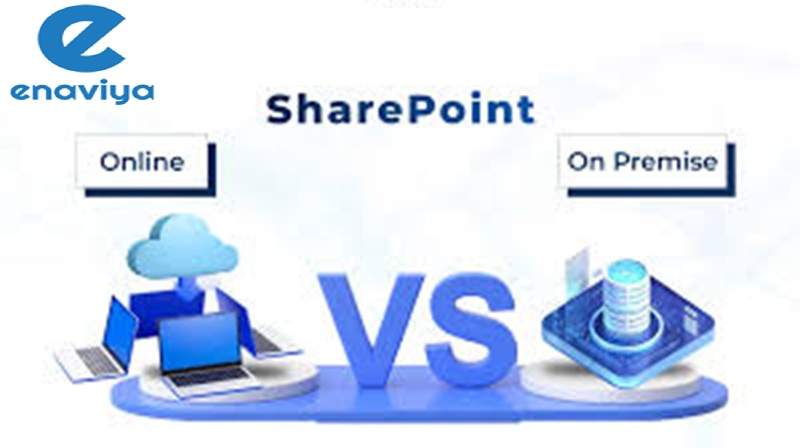
Before diving into comparisons, it’s important to define the two deployment models:
- SharePoint On-Premise: Installed and managed on servers that are owned and maintained by the organization.
- SharePoint Online: Delivered as a service hosted by Microsoft through the cloud (part of Microsoft 365).
Though both deliver SharePoint functionality, the way they are implemented, managed, and consumed differs significantly.
SharePoint On-Premise: The Traditional Enterprise Platform
SharePoint On-Premise refers to versions like SharePoint 2013, SharePoint 2016, SharePoint 2019, and future releases installed in the organization’s own data centers. In this model, the organization retains full control of hardware, software, authentication, and updates.
How SharePoint On-Premise Works
In SharePoint On-Premise:
- Hardware and servers are purchased and provisioned by the IT team.
- The SharePoint software stack is installed, configured, and maintained internally.
- All content resides within corporate network boundaries.
- Database servers (usually SQL Server) are hosted on-site.
- Backups, patches, upgrades, and high availability are managed by internal teams.
This model mirrors traditional enterprise software, where IT departments handle the entire lifecycle of deployment and maintenance.
Key Benefits of SharePoint On-Premise
1. Complete Control Over Environment
Organizations can customize, secure, and configure SharePoint without restrictions. This is critical for enterprises requiring high control over infrastructure.
2. Customization Freedom
Full-trust solutions, farm-level customizations, and third-party add-ons are supported. Advanced developers can build deep integrations and tailor the environment to unique needs.
3. Data Residency & Compliance
Industries like banking, government, and healthcare often require strict on-site data residency. On-Premise deployment gives full control over where data lives.
4. Security and Network Isolation
Because it resides behind firewalls, SharePoint On-Premise can operate entirely within isolated networks ideal for high-security environments.
5. Predictable Performance
Performance is governed by IT infrastructure choices, enabling optimization based on workload and usage patterns.
Challenges of On-Premise Deployments
Despite many advantages, On-Premise deployments come with notable challenges:
1. High Infrastructure Costs
Servers, storage, networking equipment, and cooling systems require significant capital expenditures.
2. Dedicated IT Expertise Required
Deploying, patching, securing, and upgrading SharePoint demands specialized administrators and ongoing training.
3. Long Upgrade Cycles
Organizations often stay on older versions due to complexity and cost of upgrades. This can lead to outdated features.
4. Scalability Constraints
Scaling infrastructure to meet dynamic demands requires careful planning, and sometimes expensive hardware provisioning.
5. Disaster Recovery Overhead
Designing, testing, and maintaining DR environments increases operational burden.
SharePoint Online: Cloud-First Collaboration
SharePoint Online is the cloud version of Microsoft SharePoint available as part of Microsoft 365 (formerly Office 365). It eliminates the need to manage physical servers and lets organizations leverage Microsoft’s global cloud infrastructure.
How SharePoint Online Works
In this model:
- Microsoft hosts the SharePoint service in Azure data centers.
- Subscribers access SharePoint via browser or mobile apps.
- Updates and patches are managed by Microsoft automatically.
- Integration with other Microsoft 365 services (Teams, OneDrive, Power Platform) is native.
SharePoint Online delivers a continuously updated service, with features released and optimized by Microsoft regularly.
Benefits of SharePoint Online
1. No Infrastructure to Manage
All backend servers and infrastructure are handled by Microsoft reducing IT overhead.
2. Cost Saving Through Subscription Licensing
Pay-as-you-go pricing and scalable user licensing reduce upfront capital costs.
3. Always Up-to-Date
Microsoft regularly rolls out new capabilities, security patches, and performance improvements without customer intervention.
4. Seamless Integration with Microsoft 365
SharePoint Online connects easily with Teams, Planner, Power Apps, Power Automate, Outlook, and OneDrive.
5. Global Accessibility
Users can securely access SharePoint from anywhere critical in hybrid and remote work environments.
6. Built-In Security and Compliance Tools
Advanced security features such as data loss prevention (DLP), multi-factor authentication (MFA), and conditional access are built into the platform.
Challenges with SharePoint Online
Despite its advantages, SharePoint Online has some limitations:
1. Limited Deep Customization
Full-trust farm solutions available in On-Premise are restricted. Customizations must follow modern development models (SPFx).
2. Dependency on Internet Connectivity
Users need reliable internet access; offline access is limited compared to local servers.
3. Control Trade-Off
Because Microsoft manages the platform, administrators do not control patch schedules or underlying server infrastructure.
4. Data Residency Limitations
Users may be restricted to where Microsoft’s data centers are located, though data residency options exist in some plans.
Architecture Differences
Comparing the technical architecture highlights core differences:
SharePoint On-Premise Architecture
- Web Front Ends (WFEs)
- Application Servers
- Database Servers (SQL Server)
- Active Directory Integration
- Network Load Balancing
- Backup/Recovery Services
- Custom Service Applications
This model requires robust infrastructure planning, fault tolerance strategies, and network design.
SharePoint Online Architecture
- Azure Cloud Infrastructure
- Multi-tenant Service Fabric
- Microsoft Management Layer
- Integrated Authentication via Azure AD
- CDN and Global Load Balancing
- Continuous Deployment and Release Pipeline
Here, Microsoft manages scalability, availability, and many low-level components.
The result is a paradigm shift from infrastructure management to service consumption.
Licensing and Cost Comparison
SharePoint On-Premise Licensing
On-Premise requires:
- Server licenses
- Client Access Licenses (CALs)
- External Connector Licenses (where needed)
- Potential third-party tool licenses
Costs are up-front and often require budget planning for hardware refresh cycles.
SharePoint Online Licensing
SharePoint Online is offered in various Microsoft 365 plans:
- Microsoft 365 Business Basic / Standard
- Microsoft 365 E3 / E5
- SharePoint Online Plan 1 / Plan 2 (standalone)
Licensing is subscription-based per user per month. Costs vary based on feature tiers but typically include a range of Microsoft 365 services.
Cost Comparison Summary:
| Category | On-Premise | Online |
|---|---|---|
| Upfront Cost | High | Low |
| Ongoing Maintenance | High | Low |
| Scalability Expense | High | Included |
| Licensing Model | Perpetual + CAL | Subscription |
| Infrastructure Cost | Yes | No |
From a cost perspective, cloud models usually reduce total cost of ownership (TCO).
Security and Compliance
Security is always a top priority. Both models offer robust tools, but differ in approach.
SharePoint On-Premise Security
On-Premise allows organizations to:
- Define their own security policies
- Geographically control data location
- Manage network security with firewalls and proxies
- Customize encryption and access controls
This can be critical for regulated industries.
SharePoint Online Security
SharePoint Online delivers enterprise‐grade security:
- Data encryption at rest and in transit
- Azure Active Directory identity services
- Conditional access policies
- Multi-factor authentication
- Data Loss Prevention (DLP)
- Microsoft Defender integration
Microsoft invests hundreds of millions in security and compliance frameworks (ISO, SOC, GDPR, etc.). For many businesses, this reduces risk compared to in-house environments.
Performance and Availability
On-Premise Performance
Performance heavily depends on:
- Hardware specs
- Network design
- Caching mechanisms
- Load balancing
- Maintenance efficiency
Organizations can optimize performance, but it requires careful planning.
Online Performance
Microsoft’s global infrastructure ensures:
- Redundancy across data centers
- Automatic failovers
- Content Delivery Networks (CDNs)
- SLA-backed uptime guarantees
For many enterprises without massive internal IT capacity, cloud performance is more predictable.
Customization and Development
Customization is one of the biggest differentiators.
On-Premise Customization
On-Premise supports:
- Full-trust farm solutions
- Server-side code
- High levels of third-party integrations
- Deep backend development
This yields maximum flexibility.
Online Customization
SharePoint Online supports:
- SharePoint Framework (SPFx)
- Client-side scripting
- Power Apps workflows
- Power Automate
But does not support full-trust server-side code. The modern development stack is based on web standards (HTML, JavaScript, REST APIs).
While this reduces risk and increases security, it limits deep backbone modifications.
Migration Considerations
Many organizations today face migration decisions.
Migrating to SharePoint Online
Migration complexity depends on:
- Amount of content
- Customizations in On-Premise
- Legacy workflows
- Integration dependencies
Tools like Microsoft’s SharePoint Migration Tool (SPMT) and third-party solutions help with:
- Bulk data migration
- Metadata retention
- Permission mapping
Migrating requires planning, especially for downtime, change management, and user adoption.
Hybrid Scenarios
Some organizations adopt a hybrid model:
- Core systems remain on-premise
- Collaboration sites move to cloud
- Active Directory connects with Azure AD
- Search spans both environments
Hybrid approaches help gradual transitions or compliance-driven segmentation.
Governance and Administration
Governance ensures consistent use, security, and organization of SharePoint.
On-Premise Governance
IT teams manage:
- Server patching
- Server upgrades
- Backup/restore policies
- Site provisioning policies
- Customizations oversight
This gives maximum control but increases ongoing workload.
Online Governance
Cloud governance focuses more on:
- Tenant configuration
- Access policies
- Site provisioning via templates
- Retention and lifecycle policies
- Compliance configurations
While Microsoft handles infrastructure, admins must still configure tenant governance.
Use-Cases: Which Is Right?
Choose SharePoint On-Premise If:
- You require full infrastructure control
- Data residency cannot be in the cloud
- Heavy custom solutions are core to your business
- You operate in highly regulated environments
Choose SharePoint Online If:
- You want low administrative overhead
- Remote work is essential
- You rely on modern collaboration tools
- You prefer subscription licensing over capital expenditures
- You want automatic updates and innovation
Conclusion: The Choice Defined
SharePoint On-Premise and SharePoint Online represent two ends of the collaboration spectrum:
- On-Premise: Maximum control, customization, and regulatory fitness.
- Online: Cloud-ready, modern, scalable, integrated and low-maintenance.
The right choice depends on your organization’s priorities: compliance and control vs agility and innovation.
With proper planning, governance, and strategy, both models can deliver exceptional value. Some enterprises even combine them in hybrid deployments, balancing legacy needs with progressive cloud adoption.